3D Scanning Software

Artec Studio Pro to scan, inspect and reverse engineer, Artec Studio Lite to build 3D models from photos and video, and Artec Twins for large point clouds and digital twins.

8 produktů
Seřadit podle
Choose by job

Match the software to the job

Studio Pro runs Artec scanners and turns scans into CAD and inspection data. Lite works from photos and video only. Twins handles whole sites.

Scan, inspect, CAD

All-in-one scan processing

Artec scanner data to watertight meshes, deviation maps and CAD-ready surfaces

Artec Studio Pro€1,200
  • Supports Artec structured-light, laser and LiDAR scanners
  • Mesh-to-CAD comparison, deviation and thickness maps
  • Autosurfacing, direct export to SOLIDWORKS and Design X
  • AI Photogrammetry included, yearly or lifetime
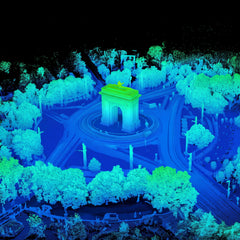
Sites and digital twins

Point clouds at site scale

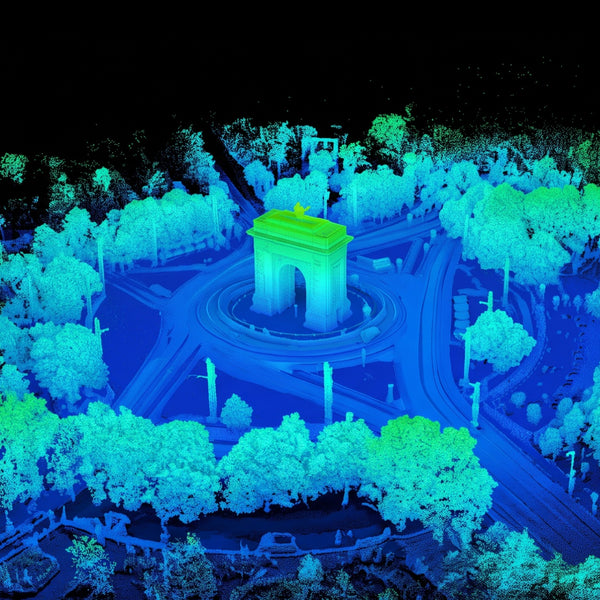
Plants, mines, buildings and sites from Jet, Ray II, Leo, drone and satellite data

Artec Twins€5,900
  • Multi-billion-point datasets in real time, up to 200 FPS
  • Point clouds, meshes and Gaussian Splats in one workspace
  • Volumes, sections, scan-to-CAD comparison, georeferencing
  • Works offline, data stays on your own PC
Photos, paid projects

AI photogrammetry for business

Products, parts, interiors and sites from phone, camera or drone footage

Artec Studio Lite Business€84
  • No scanner needed: phone, camera, drone or microscope
  • Studio Pro editing, measuring and autosurfacing tools
  • Export OBJ, STL, STEP and other common formats
  • Commercial license, monthly or yearly
Photos, personal use

AI photogrammetry for personal projects

Maker projects, 3D printing, heirlooms and collections from photos or video

Artec Studio Lite Individual€48
  • Same features as Lite Business
  • Personal, non-commercial and non-profit use
  • Monthly or yearly plan
  • Upgradable to Studio Pro through Artec 3D

Inspection and metrology

For quality inspection, Artec Studio Pro compares the scan with CAD over the full surface, not at a handful of points, and maps the deviations. 2D sections, thickness maps and distance measurements complete the toolset, and measurements export as CSV, DXF or XML.

For formal inspection reports, the data goes in one click to Geomagic Control X or PolyWorks Inspector. Artec Metrology Kit runs as a plugin in Artec Studio, so photogrammetry and scanning share one environment, and Artec Twins brings scan-to-CAD comparison to site-scale data.

Software can only report what the scanner measures, so accuracy starts with the hardware. Artec Point II offers up to 0.02 mm accuracy accredited to ISO 17025. For Artec Neo, each unit is verified to VDI/VDE 2634 Part 3 in Artec’s ISO/IEC 17025-accredited lab. Micro II accuracy is certified to ISO 12836.

AI Photogrammetry and Gaussian Splats

Artec’s AI Photogrammetry makes detailed, textured models from photos or video taken with a smartphone, digital camera, drone or microscope, for objects from tiny parts to whole landscapes. It is the core of Artec Studio Lite, which works without a 3D scanner, and is included in Studio Pro and Twins.

Photogrammetry produces a textured mesh you can edit, measure, autosurface and export to CAD, 3D printing or modeling software. Gaussian Splats are for photorealistic presentation. Artec Twins keeps point clouds, meshes and Gaussian Splats of the same data in one workspace, so you switch between precise measurement and photorealistic walkthroughs for stakeholders who can’t visit the site.

AI also works inside Artec hardware: Leo’s AI-powered HD Mode handles dark, shiny and thin features, and Jet flies AI-assisted drone missions with 360° collision avoidance. When you need metrology-grade inspection or reverse engineering rather than a visual model, Studio Pro adds 3D scanning with Artec scanners.

Questions about 3D scanning software

Which software do I need for my Artec scanner?

Artec Studio Pro. It supports Artec structured-light, laser and LiDAR scanners and the Metrology Kit, and Smart Fusion combines data from several scanners in one project. Data from Artec Jet, the mobile mapper, is processed in Artec Twins. Artec Studio Lite does not support 3D scanning.

Can I create 3D models from photos without a scanner?

Yes. AI Photogrammetry turns photos or video from a smartphone, camera, drone or microscope into textured 3D models; it is the core of Artec Studio Lite and is also included in Studio Pro and Twins. Choose Lite Business for paid work and Lite Individual for personal projects.

Can I use Studio Pro for inspection?

Yes. It compares scans with CAD, maps deviations over the full surface and adds 2D sections, thickness maps and distance measurements, with export to CSV, DXF or XML. For formal inspection reports, send the data in one click to Geomagic Control X or PolyWorks Inspector.

Does it work with SOLIDWORKS and other CAD software?

Yes. Studio Pro fits CAD primitives, autosurfaces free-form areas and exports STEP, IGES or X_T, with direct export to SOLIDWORKS, Design X and Control X. Meshes export as OBJ, STL, PLY and other common formats for 3D printing and modeling.

What is the difference between a yearly plan and a lifetime license?

A yearly plan includes every major update and new algorithm while it is active, plus scripting in Studio Pro. A lifetime license is a one-time payment for permanent access to the version you buy, with minor updates only. Studio Pro and Twins offer both; Studio Lite is monthly or yearly.

Is there a free trial?

Artec 3D offers a free 30-day trial of Artec Studio Pro and of Artec Twins; the Twins trial does not save or export. To see the software on your own scans or site data, book a demo with an Artec 3D expert.

How do I buy a license?

Open the product page, choose a plan and use the Buy now button, which takes you to Artec 3D’s own checkout. Not sure which license fits? Book a demo and an Artec 3D expert will walk you through it.

Not sure which license fits?

See Artec software on your own scans or data

Book a live demo with an Artec 3D expert. Bring your scans, photos or site data and your questions about licenses, CAD and inspection workflows.